
My IP widget: your public IP, IPv6, ISP and location
See your public IPv4 / IPv6, location, ISP and IPv6 support with the My IP widget: where the data comes from, and why we never store your IP.
My IP is in the Developers and Productivity categories of the widget library, and it's free. Put it in Notion, on your start page or your personal page to see at a glance which network you're on, whether your VPN or proxy is working, and whether IPv6 works.
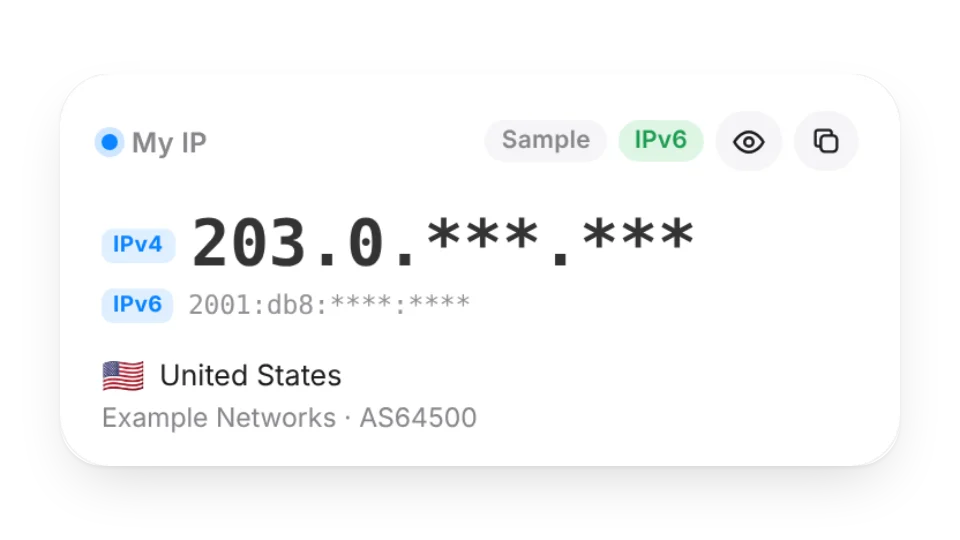
What it shows
| Item | Details |
|---|---|
| Public IP | IPv4 and / or IPv6, with a copy button |
| Location | Country (flag + name), region and city (estimated from the IP, not a precise location) |
| ISP | Network name and ASN (e.g. AS7922) |
| Time zone | The time zone of the IP's location; flagged when it differs from this device (common with a VPN) |
| Connection | HTTP and TLS version, e.g. HTTP/3 · TLS 1.3 |
| IPv6 | Whether this device can reach the internet over IPv6 right now |
| Edge latency | Round trip to the Cloudflare edge and its code (large size) |
Three sizes: small (IP, country, copy), medium (IP, location, ISP) and large (everything above).
Hiding your IP for screenshots and streams
The Hide IP setting in the editor has three options:
- Hidden, tap the eye to show (default): shows
1.2.***.***; tap the eye to see the full IP and city. Widgets often end up in screenshots, recordings and shared screens, so it starts hidden. - Always show: the full IP and city, all the time.
- Always hidden (streams / screenshots): no eye button, country only. Copy IP still works (what you copy never appears on screen).
Where the data comes from
- From your browser, the widget makes one request to our check server on Cloudflare. Cloudflare tells us which IP the connection came from, roughly where, and which network. No third-party IP lookup service is used.
- It also makes one request to this site's Cloudflare edge (IPv4 only). If the check server saw IPv6 and the site saw IPv4, both are shown and IPv6 works; if the check server also saw IPv4, it shows "No IPv6 detected".
- Location and ISP come from Cloudflare's IP data and may not match the city you're actually in (especially on mobile and corporate networks).
Mainland China: basic info only
The check server runs on Cloudflare's workers.dev domain, which most networks in mainland China can't reach. When it can't be reached, the widget falls back to this site's edge and shows IPv4, country and connection protocol only, with the note "Couldn't reach the check server — basic info only". City, ISP, time zone and the IPv6 check aren't available then.
Privacy: only you see it, nothing is stored
- Your IP is only shown to you, in your own browser, and never stored. Anyone who opens the same embed link sees their own IP, not yours.
- We don't log or store this information or link it to your account. To prevent abuse, the endpoint only keeps a per-minute counter in memory (not the IP itself), cleared after a minute. See the privacy policy.
- The widget page itself contains no IP. The addresses in the sample image (
203.0.113.42,2001:db8::) are reserved for documentation and marked "Sample".
Why your AI can't tell you "my IP"
When Claude or ChatGPT works with your widgets through the MCP connection, the requests come from the AI provider's servers, so we would see their servers' IP, not yours. That's why there's no "what's my IP" AI tool. To see your IP, open this widget (your AI can add it to a page for you).
Last updated: Oct 28, 2026