
Notion charts: turn a database into charts that update themselves
Make bar, line, donut, KPI, progress, heatmap and ranking charts from a Notion database or My Data and embed them in Notion — fields, refresh timing, Free vs Pro.
Notion charts read your Notion database (or a table in My Data), summarize the fields you choose and draw a chart you can embed in Notion, your personal page or your start page by copying a link. The data refreshes on a schedule.
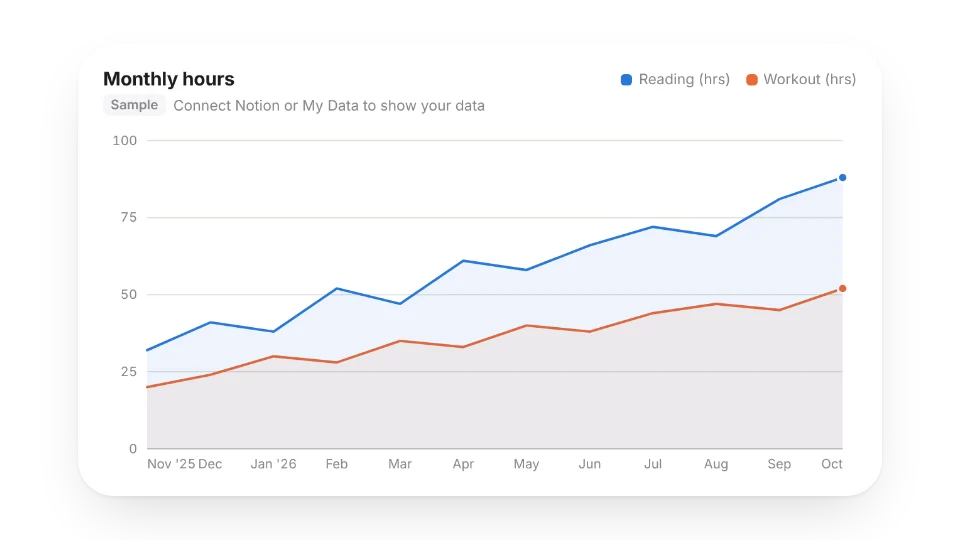
Start from Notion Charts in the library: pick a template and click Use this chart to open the chart editor.
Step 1: connect a data source
- Notion: click Connect Notion and select the databases you want to chart on Notion's authorization page (unselected databases can't be read). To add more later, click Missing one? Add more databases in the editor and authorize again.
- My Data: pick one of your tables in My Data. My Data is summarized per day: one row per day with Date, Records and the day's total for each number field.
Step 2: choose a chart type
| Type | Good for | Fields needed |
|---|---|---|
| Bar | Comparing counts or totals by status, tag or owner | One category field (or a date) |
| Line, area | Trends over time | One date field |
| Donut | Share of a whole (up to 6 slices, the rest become Other) | One category field |
| KPI | One big number, optionally vs the previous period | Optional: a date field to split periods |
| Progress | Done vs a goal | One number field and a goal |
| Heatmap (Pro) | A year by day, GitHub-style | One date field |
| Ranking | Top items with proportion bars | One category field |
Step 3: choose fields
- Category / X axis: the field to group by. Multi-select fields are split, so a row with two tags counts toward both.
- Group dates by: for a date axis, summarize by day, week, month, quarter or year. Auto picks based on the date range. Missing days count as 0, so lines don't break.
- Value: a count, or the sum, average, min or max of a number field. Notion formulas and rollups that return numbers work too.
- Split into series (Pro): break the chart into several lines or bar groups by another field; bars can be stacked. Up to 8 series, the rest become Other.
- Filters: is, contains, greater than, within the last N days, is checked and more — up to 8, all must match.
- Sort, Top N and time range: categories sort by value (high to low) by default, dates by time.
The preview on the right uses your real data, updates as you change anything and saves automatically.
Step 4: style and embed
- Five color sets (all checked for color-blind readability) or your own main color. Appearance can follow the system or stay light or dark — for dark Notion pages choose System or Dark.
- The background is transparent by default so the chart blends into Notion; you can switch to a card.
- Sizes: Wide 16:9, Standard 4:3, Square and Strip. After embedding, drag the edges in Notion and the chart scales to fit.
- Click Copy, type
/embedon a Notion page and paste the link. The link has no language in it: visitors see English, Japanese or Chinese based on their browser.
How often charts update
| Limit | Free | Pro |
|---|---|---|
| Charts | 3 | 50 |
| Notion data refreshes | every 60 min | every 15 min |
| Manual "Refresh now" per day | 3 | 20 |
| Rows read per chart | 1,000 | 3,000 |
| Heatmap, series & stacking | — | ✓ |
With My Data as the source, charts refresh every 5 minutes. Embedded charts can take about 2 more minutes to show new data (page cache). If Notion is unavailable or rate-limiting, the chart shows the last data it read successfully and says it couldn't update, with the time.
Charts made before this update
Notion charts created in 2022–2024 (Basic Bar, Line, Pie, Word Cloud and Echarts Bar) keep their links and keep working; they now use the new renderer (word clouds show as rankings). Edit them with the new editor under My widgets → Notion Charts. They don't count toward the free limit.
FAQ
The chart says the data source wasn't found. The database may be deleted, moved somewhere you didn't authorize, or not selected on the authorization page. Click Add more databases and select it again.
It says Notion access expired. WidgetStore was removed under Notion's Settings → My connections, or the Notion account changed. Click Connect Notion in the editor to authorize again.
Do Notion databases with multiple data sources work? Not yet — you'll see a message that the database isn't supported.
Last updated: Oct 15, 2026