
The budget widget lets you log spending or income right in the widget and shows how much you've spent this month, what's left of your budget, a daily allowance and a category breakdown. Entries go to a ledger table in your own My Data (private by default), where you can also see monthly totals and category shares and export CSV. The savings goal is a jar that fills up as you save and, with a deadline, tells you how much to put aside each month.
The subscription tracker lists streaming, music, cloud storage, the gym and more, with a monthly average, a yearly total and the next billing date — you type the names and prices, and there are no brand logos. The savings challenge supports 52 weeks and 365 days; tap once each time you save and watch the grid fill up. On public pages, turn on “Hide amounts” to show percentages only.
 Savings ChallengeThe 52-week or 365-day savings challenge: tap “Saved” each time and watch the grid fill up, with your total so far and the goal — saved to My Data
 Subscription TrackerKeep all your subscriptions in one place — streaming, music, cloud storage, gym — with monthly and yearly totals and the next billing date
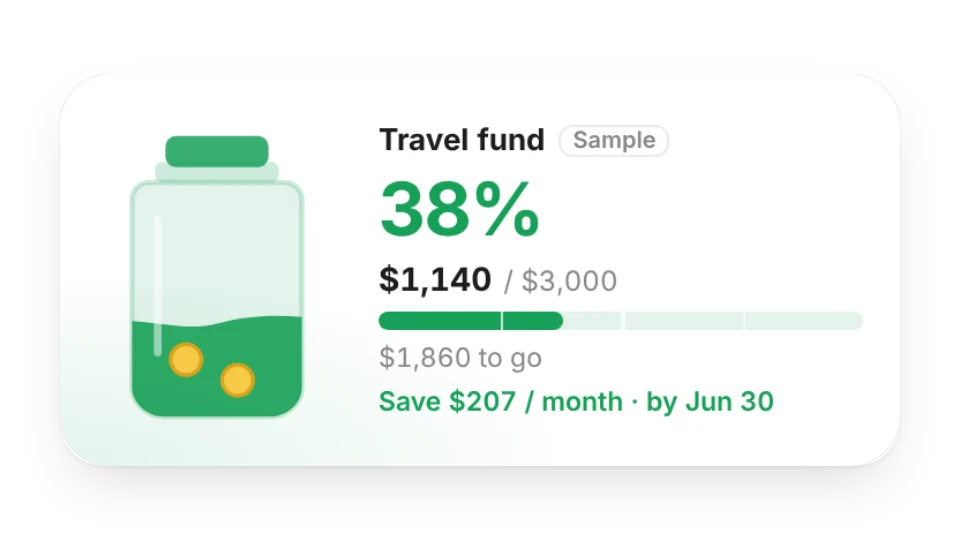 Savings GoalA jar that fills up as you save: set a target and what you've saved to see your progress, what's left and how much to save each month by your deadline
 Budget & SpendingLog spending and income, then see this month's total, what's left of your budget, a daily allowance and a category breakdown — saved to My Data, with an option to hide amounts
Open a card, then click Create widget. You'll need to sign in — an email code is all it takes.
Change the text, colors, size and other options in the editor. The preview updates as you go.
Click Copy link, type /embed on a Notion page and paste it (or paste the link and choose Embed). Drag the corners to resize.
Help: Embed in Notion, Obsidian, FlowUs and other apps